RoadRD-2026-01
Bhubaneswar to Puri highway widening, Km 12 to Km 28
Odisha Works Department
Khordha, Odisha
Construction ERP for Indian contractors
What your site engineer enters in the evening becomes the measurement, the running bill and the Tally voucher. Nobody types it twice, and nothing counts until it is approved.
The demo has a highway, a hospital and a water scheme in Odisha already in it.
A day in the demo company
Jajpur water supply scheme
Masons, helpers and fitters by labour contractor, from the site in-charge's phone.
District Hospital Block B, Cuttack
The 28-day result for the M25 ground floor slab is due, and QA/QC has already been reminded.
Ch. 14+300, Bhubaneswar to Puri highway
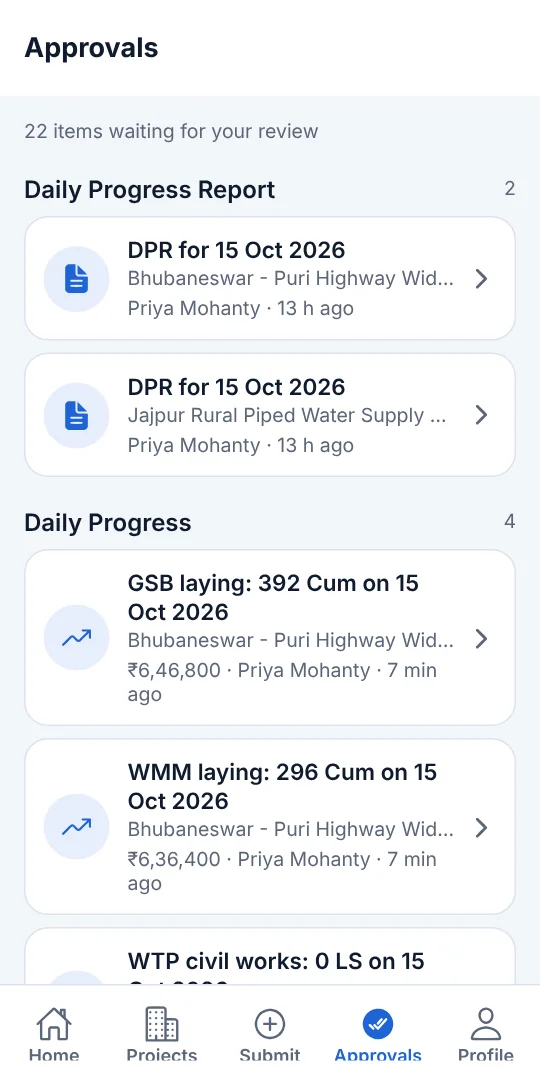
WMM laying, 296 cum, with photos. It waits on the phone and sends itself when the network is back.
Project manager, on the way home
₹6,36,400 of work done now counts in the project's progress and in its cost against work done.
What it does
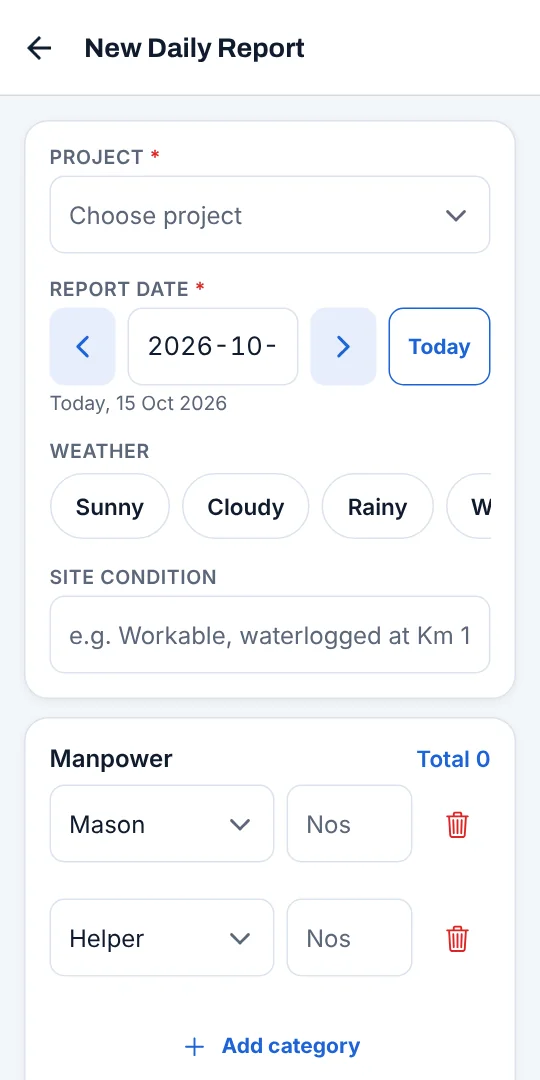
The site engineer enters the day on the phone. The project manager approves it, and only then does it count.
Quantities against BOQ activities, manpower from attendance, photos and the day's issues.
Nos × L × B × D by BOQ item and location, with executed and measured quantity side by side.
Requests, receipts, issue to site, and an alert when an item falls below its minimum.
Hours worked, idle and breakdown, diesel and hire rates for owned and hired equipment.
Bill photo, vendor GSTIN, taxable value and GST, approved before it counts as cost.
Hindrances with days lost and who caused them, extensions granted, and a 5 × 5 risk register.
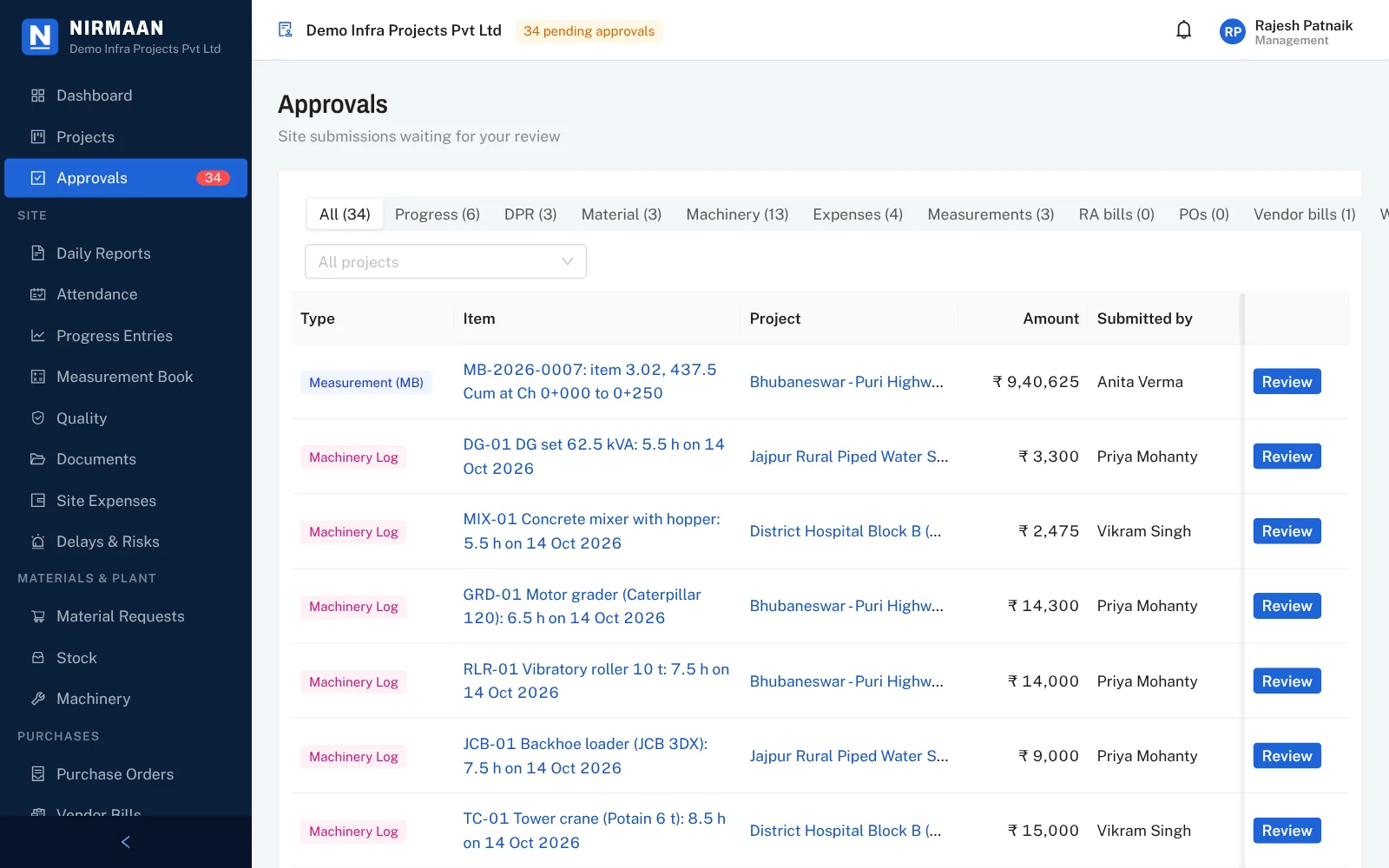
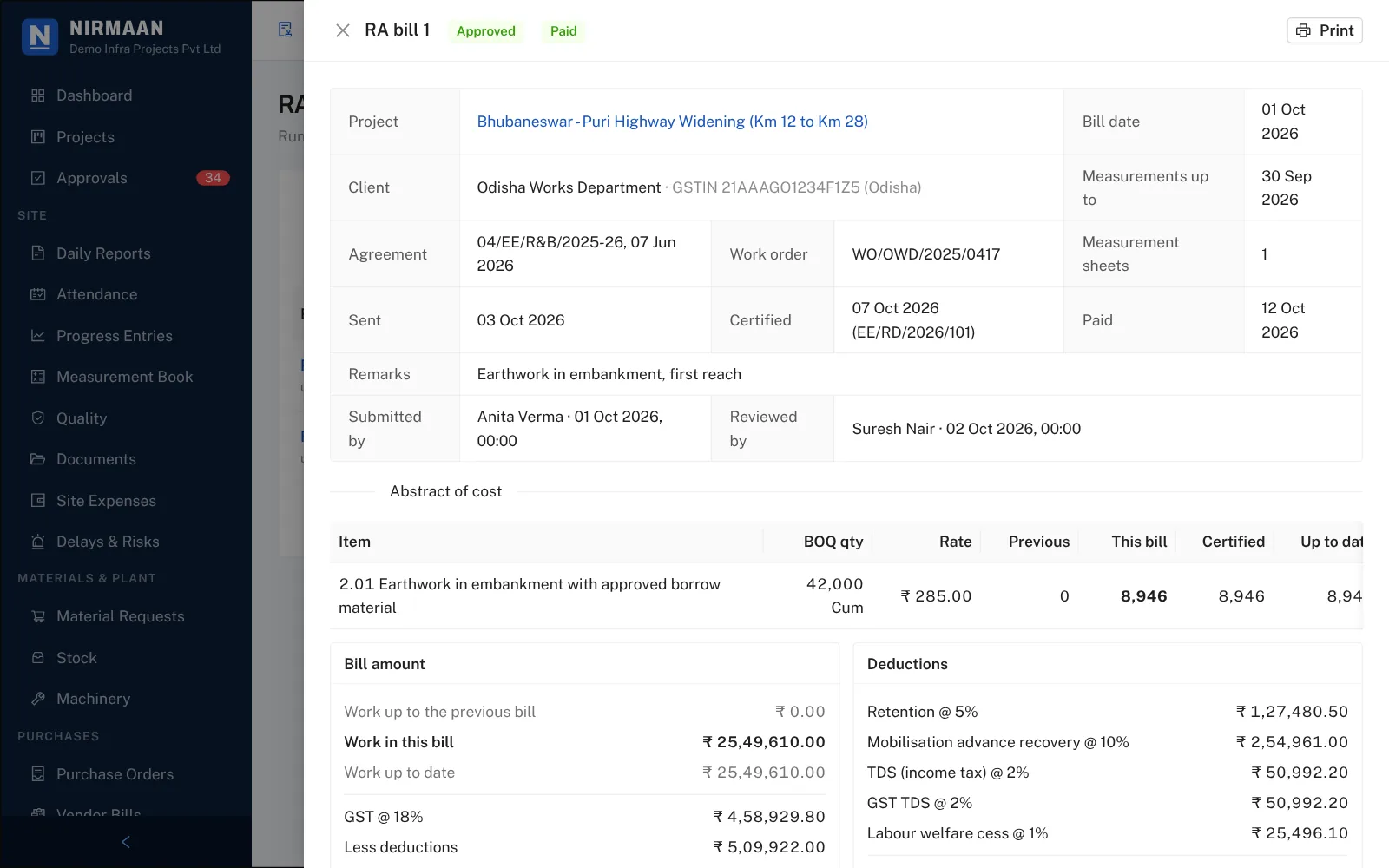
What site measured and the project manager approved becomes the next running bill, with the contract's deductions already applied.
Client GSTIN and billing address; per project the agreement, value, dates, retention, security deposit, advance and TDS rates.
Previous, this bill and up to date per BOQ item, extra items flagged, GST and deductions, printed with the measurement annex.
Enter the quantity the client certified; cuts re-price the bill and come back in the next one.
Part payments with what the client actually deducted, ageing by client and project, retention held and when it is due back.
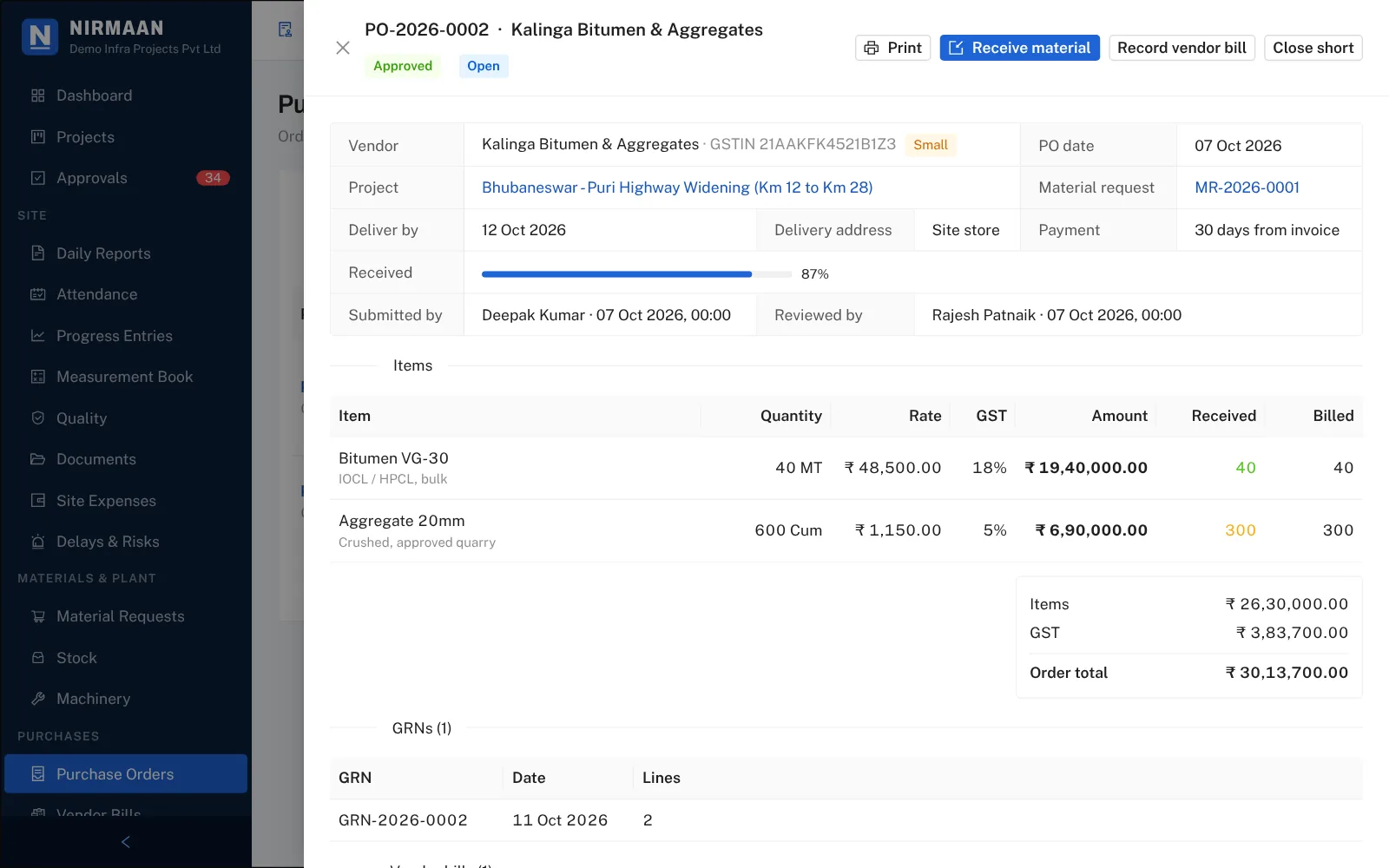
Quotes, purchase orders, receipts at site and the vendor's bill are checked against each other before anyone pays.
Suppliers, hire agencies and subcontractors with GSTIN, PAN, bank details and MSME number.
A comparative with the lowest landed rate marked, and a PO approved within each role's limit.
GRN at site against the PO lines, and the vendor's bill checked against what was received and the PO rate.
Work orders at agreed rates; their bills from the measurement book recover retention, advance, material issued and TDS.
A due list by days past due, part payments with TDS, and micro and small enterprise bills flagged before 45 days.
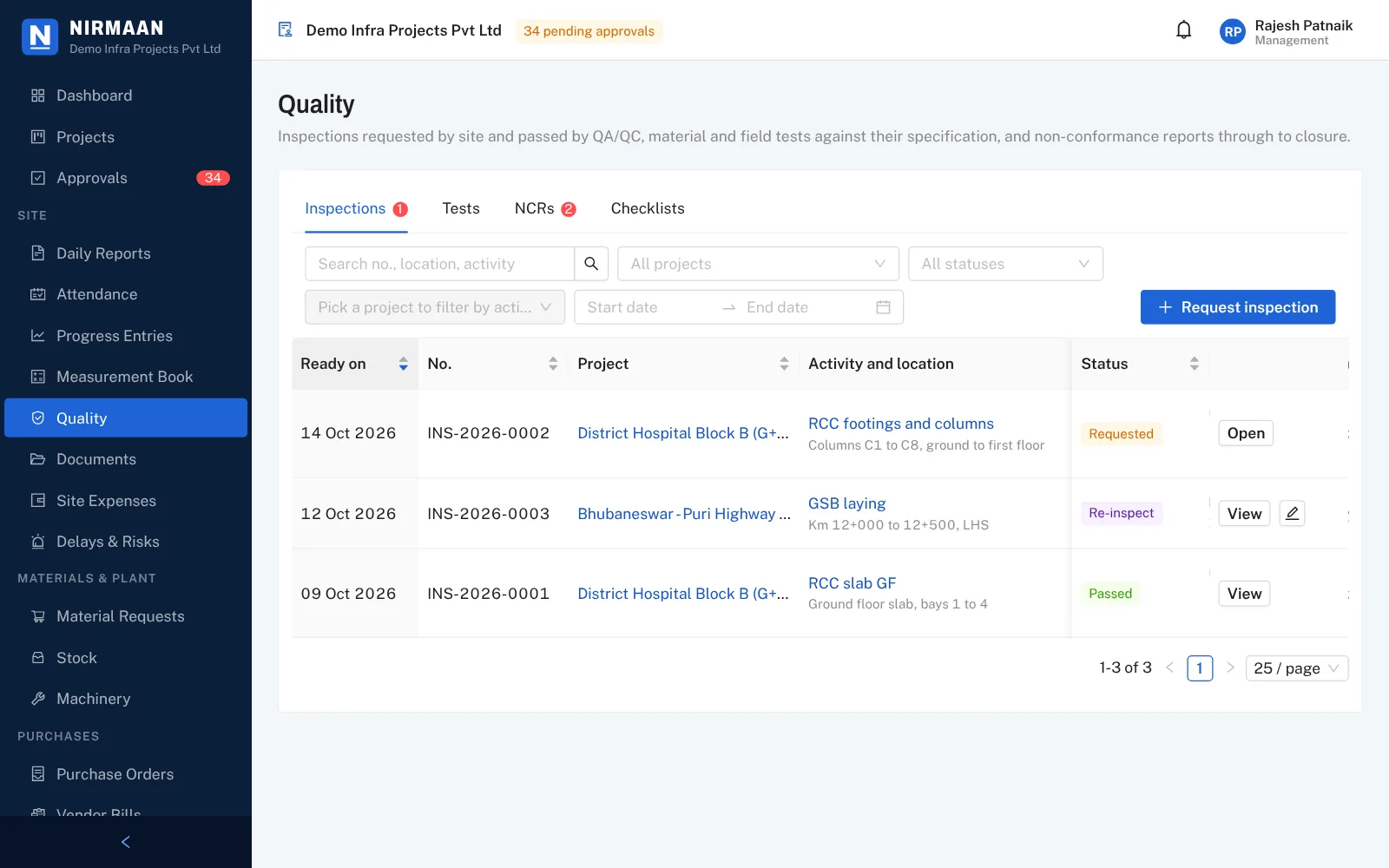
Site asks for an inspection from the phone, QA/QC passes or fails it against a checklist, and failed work is tracked to closure.
An activity at a location, with photos; each checklist point marked OK, not OK or not applicable.
Progress on a hold-point activity is approved only after a passed inspection at that location.
Concrete cubes with 7 and 28-day reminders, compaction and other tests, passed or failed on the result.
Raised from a failed test or inspection, cause and corrective action from site, closed by QA/QC.
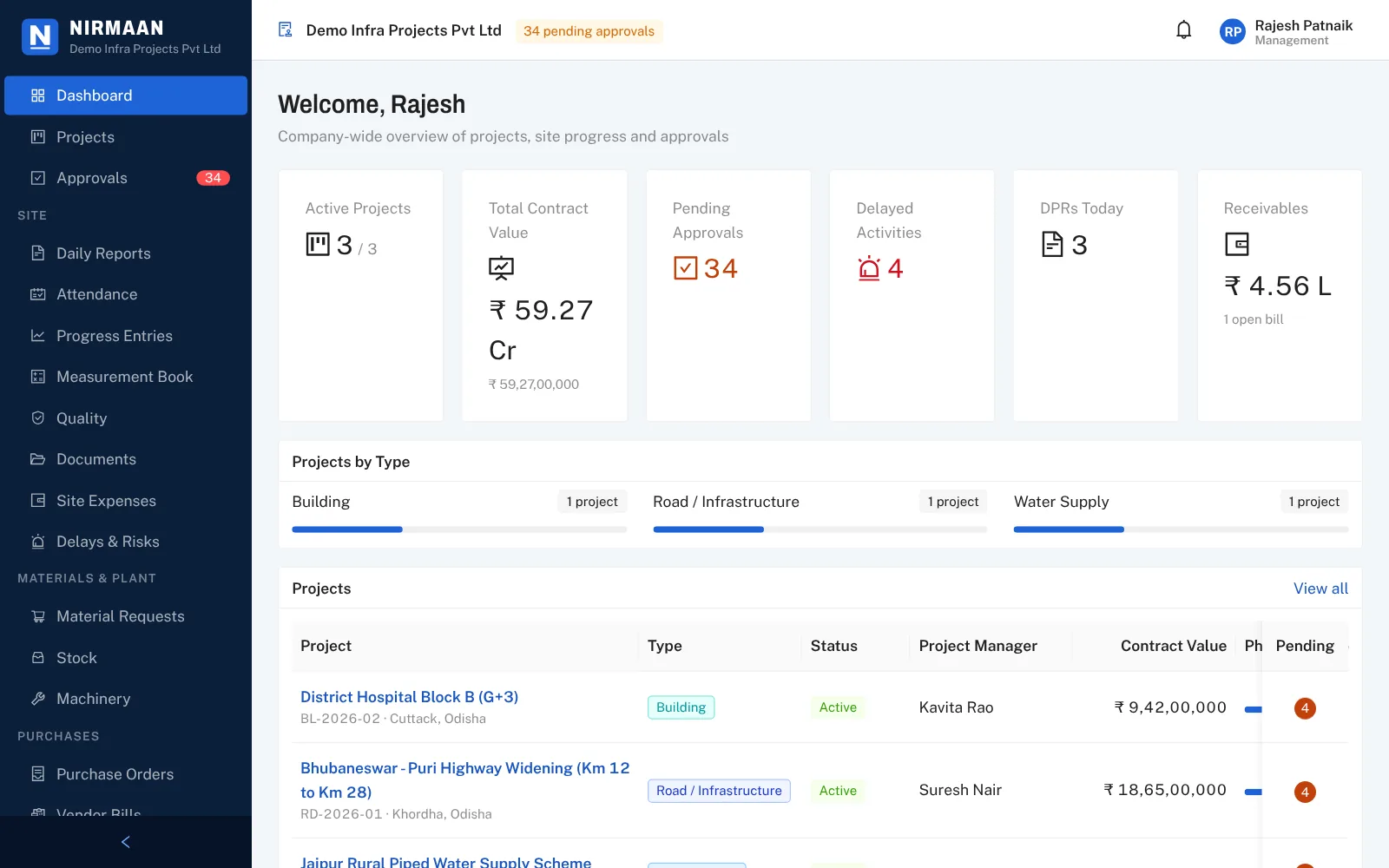
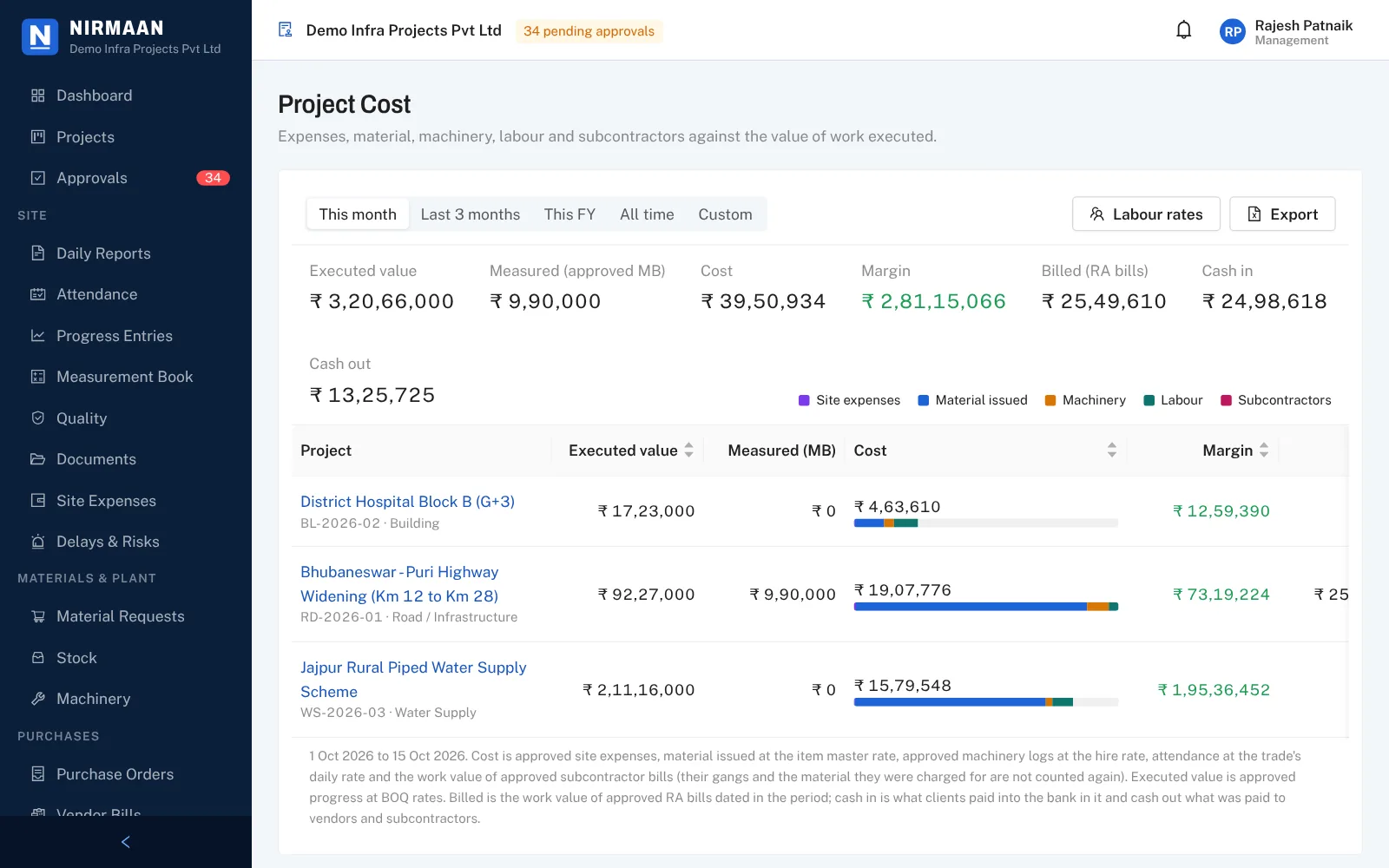
Management sees what each project has done, what it cost, what was billed and what came in, without waiting for month end.
Expenses, material, machinery, labour and subcontractors against BOQ value executed, with billed value and cash in and out.
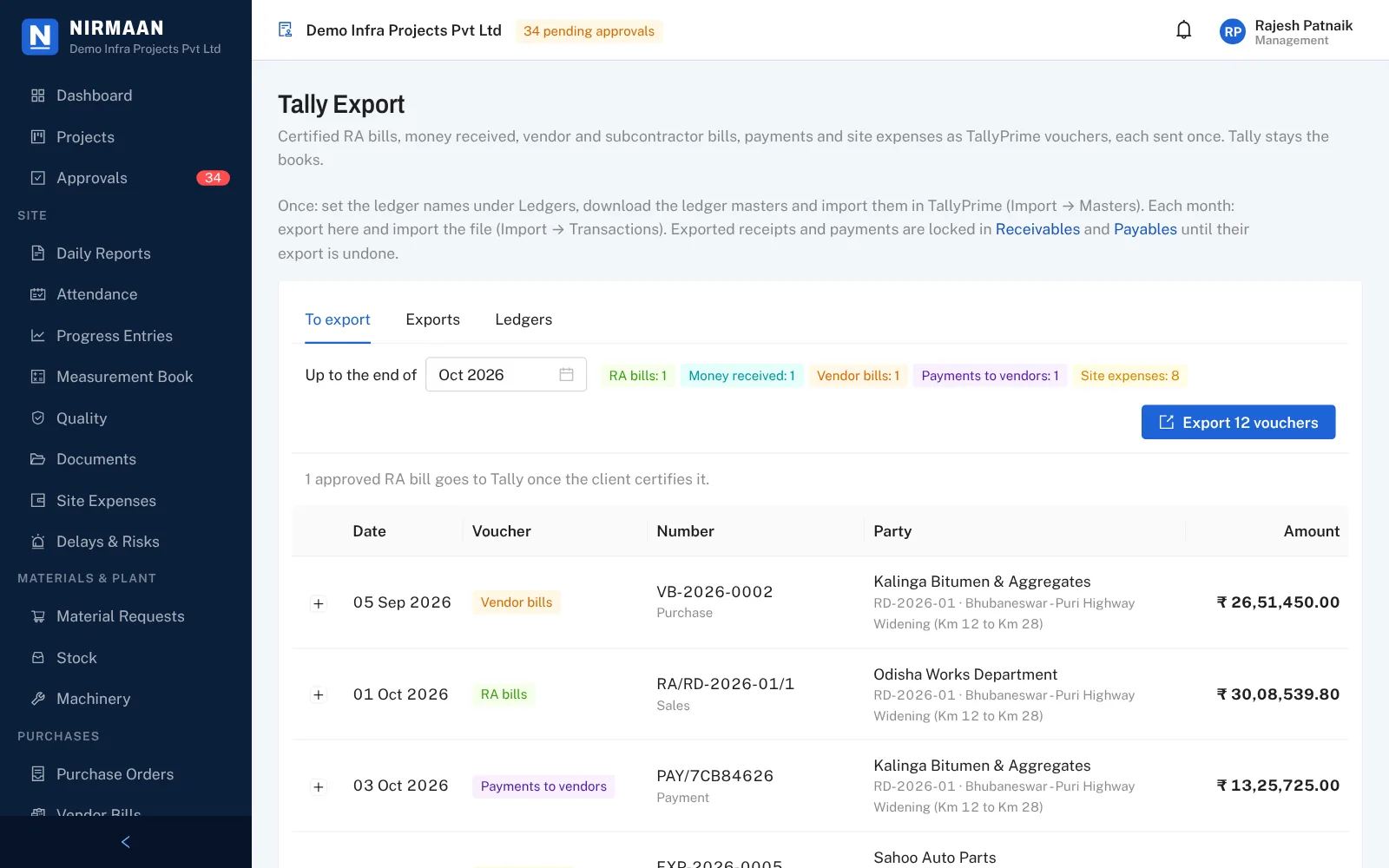
TallyPrime vouchers for bills, receipts, payments and expenses, projects as cost centres, each voucher sent once.
Outward supplies in the GSTR-1 layout and input tax in the GSTR-2B layout, in one Excel workbook.
Who approves what, with rupee limits per role for each kind of entry, bill and order.
Weekly and monthly reports built from approved data, ready to print or save as PDF for the client.
Billing and Tally
Bills are made from approved measurements, purchases are checked against what reached site, and every bill, receipt and payment ends as a Tally voucher.
Made for Indian contracts
No spreadsheet on the side for retention, TDS or the MSME limit. The register below is what the app keeps for you.
The site app
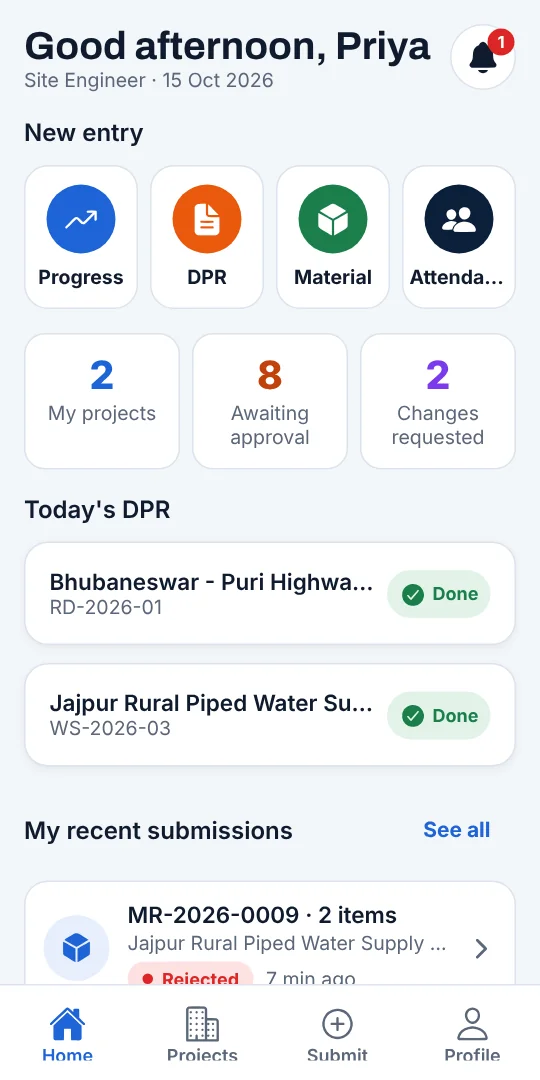
Progress, DPR, attendance, measurements, material, machinery, expenses, inspections and tests, with photos from the camera.
No network at the cutting or the pump house? Entries wait in the outbox and go when the phone is back in range.
Project managers get the request on the phone, or on WhatsApp, and approve progress, DPRs, RA bills, orders and vendor bills.
Who uses it
See it for yourself
Every screen on this page comes from the demo: Demo Infra Projects Pvt Ltd, with three works in Odisha, their bills, orders and inspections.
Odisha Works Department
Khordha, Odisha
Dept. of Health & Family Welfare
Cuttack, Odisha
RWSS Odisha, Jal Jeevan Mission
Jajpur, Odisha
Who entered it, who approved or sent it back, when, and the reason, in the audit trail.
Each company's records are separated down to the database, and site staff see only their own projects.
One zip with an Excel file for every register and every photo and document you stored.
Vouchers go to TallyPrime once each, with projects as cost centres. Nothing is entered twice.
Pricing
Site, billing, purchase, quality, accounts, the site app and the client portal are all included. Start with one project and add the rest when you are ready.
Free trialthen a simple monthly price, paid a month or a year ahead
Questions
No. Tally stays your books. Each month Nirmaan gives you a TallyPrime file of the RA bills, receipts, vendor and subcontractor bills, payments and site expenses, with projects as cost centres. Each voucher goes once, so nothing is entered twice.
Yes. Entries and photos are saved on the phone when there is no signal and send themselves when the network is back. Photos are made smaller before sending so they go through on a weak connection.
Contractors on road, building and water supply works start with a standard activity list for each. Any project can import its BOQ from Excel.
Yes. Approval requests, send-backs, the DPR reminder and the morning approvals digest can go on WhatsApp, with SMS when WhatsApp does not go through. Each person switches it on for their own number.
Yes, if you invite them. The client's engineer and the consultant or PMC get their own login for your projects with them. They see only approved progress, DPRs and reports, certify the RA bills you send, and record that they attended an inspection.
Yes. Approval rules say which role approves each kind of entry, bill and order, up to what amount. Every approval, rejection and send-back is kept in the audit trail with the reason.
Only your company. Every company's records are kept apart down to the database, and site staff see only the projects they work on. Bank details of vendors are shown only to admin, management, procurement and accounts.
Open the demo with the accounts listed on the sign-in page: it has a road, a building and a water supply project with bills, orders and inspections already in it.
Import its BOQ from Excel and invite the site team. The first DPR can come in the same week; bills, orders and Tally can follow when you are ready.